v1.0.2
Tools
Control Station
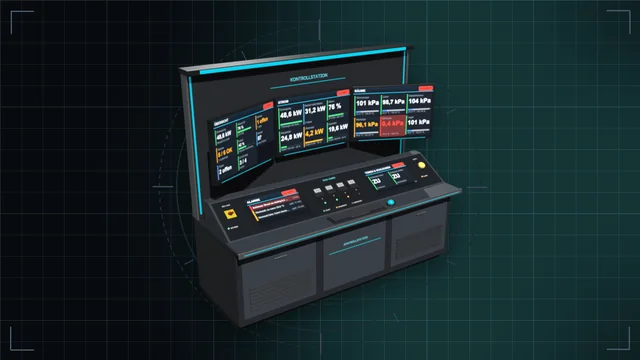
Control desk, monitor wall and terminal: see every value of the base on large screens and control everything – with an IC10 terminal and IC10 chips in the desk.
We are currently experiencing issues with email delivery; this is being resolved as quickly as possible.
Tools
Write, check and simulate IC10 in game, with an explanation for every error.
Learn, write, test and debug IC10 right in the game, in English and German. Open the tablet with the IC10 button above the helmet slot (hold Alt and click) or with F8. Hold a chip or look at an IC housing and it loads that code.
Editor: line numbers from 0 like in the game, errors in red, warnings in orange, the faulty spot underlined. Suggestions while typing, a help bar with syntax and an example, and every problem comes with an explanation and a fix, including the silent traps like a missing yield or NaN from Average. Type 25C plus space and it becomes Kelvin. A device check warns when a device cannot read or write a value at all.
Simulator: runs on the game's own IC10 interpreter. Step, tick, breakpoints, registers, stack and virtual devices with the values of real ones.
Templates: ready programs such as hold temperature, hold pressure, generator on low battery or air alarm. Enter names and values and take checked code in define/alias/lbn style with you.
IDs & hashes: every device and item with a picture, favourites, a filter for modded content, a code builder, a hash calculator and a hash decoder.
Plus a network view with live values of every device on the data cable, a lexicon of all LogicTypes, constants and error codes, all 154 instructions with examples, a calculator for temperature and gases, and notes.
Only needed on your own PC; the server and other players do not need it.
Full guide: IC10 Editor Tablet in the wiki
Now loads without errors on dedicated servers. The tablet is a pure client tool and stays idle on the server.
The IC10 button no longer covers "Close All": while inventory windows are open, it moves right above it.
Link "Made by Dominik1199" in the title bar that opens the Workshop page.
New code editor: line numbers from 0, errors in red and warnings in orange with underline, suggestions while typing (Tab accepts), help bar with syntax and example.
Simulator using the game's own IC10 interpreter: virtual devices, step, tick and breakpoints. New section IDs & hashes.
New sections templates, network (live values on the data cable), lexicon, calculator and notes. IDs & hashes with pictures, favourites, mod origin, multi-select, code builder, slots, crafting info and hash decoder. The editor turns 25C into Kelvin, and the device check uses the real game data.
First release: IC10 checker with an explanation for every error, instruction help in English and German, error codes. Opens via the button above the helmet slot or F8.
With the IC10 button above the helmet slot, holding Alt while clicking, or with F8. If you hold a chip or look at an IC housing, the tablet loads its code.
No, it only runs on your side. In LaunchPad you can mark it as a client-side mod; then it also loads on servers that do not have it.
Control desk, monitor wall and terminal: see every value of the base on large screens and control everything – with an IC10 terminal and IC10 chips in the desk.
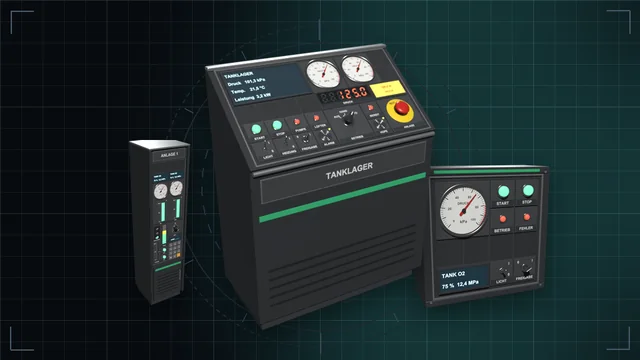
Desks, wall panels and cabinets with a module field – fitted with buttons, switches, dials, displays, gauges, traffic lights and more, every module an IC10 device of its own.
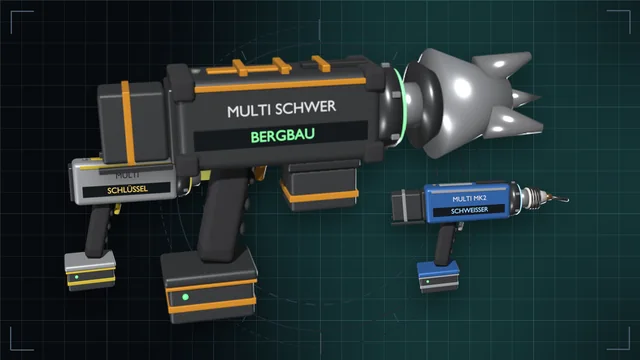
One grip, nine game tools – from wrench to mining drill, in three tiers with batteries and a lamp attachment.