v1.0.2
Tools
Control Station
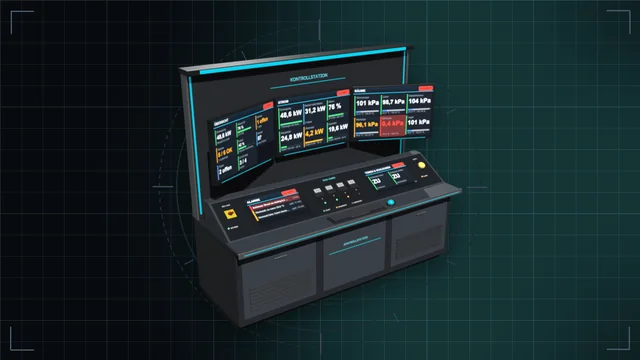
Control desk, monitor wall and terminal: see every value of the base on large screens and control everything – with an IC10 terminal and IC10 chips in the desk.
We are currently experiencing issues with email delivery; this is being resolved as quickly as possible.
Tools
Hold left click and drag: frames, walls, floors, cables and pipes as a line, area, outline, box or whole room – with a preview and the rules of a single build.
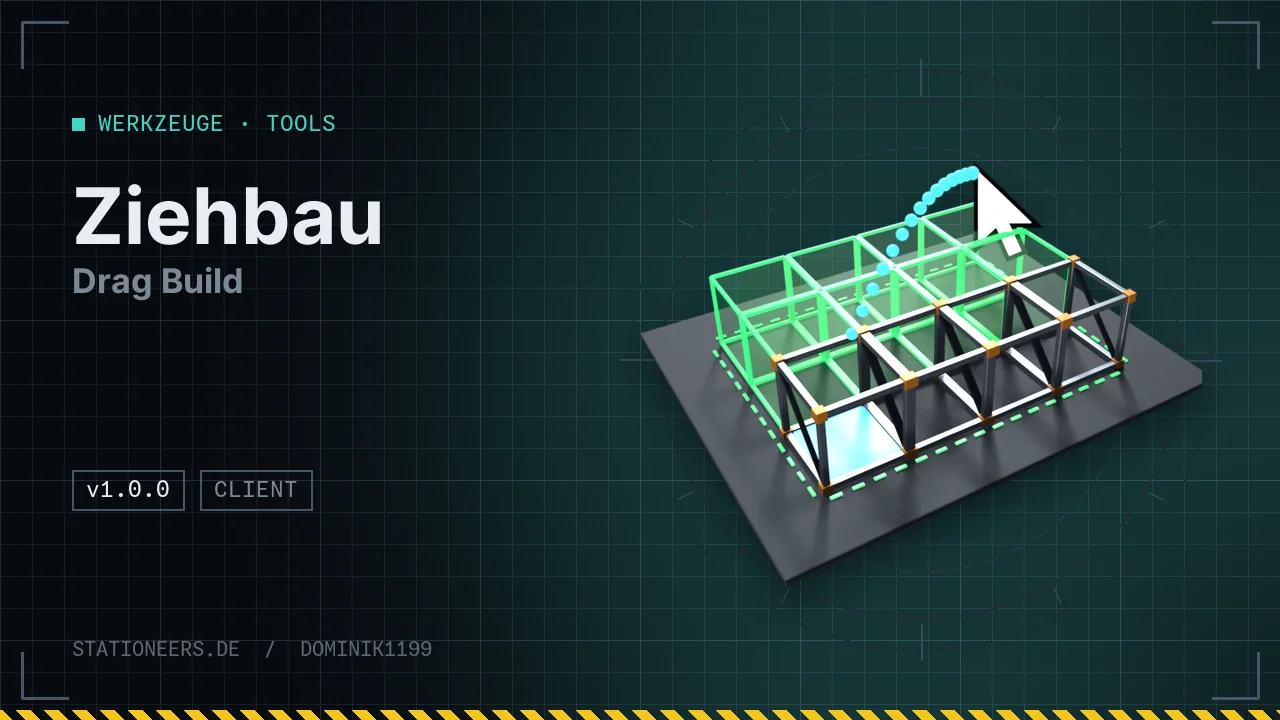
Stop placing frames, walls, floors, windows, cables and pipes one by one: hold left click and drag, and all parts appear when you release. A short click still builds exactly one part – normal building is unchanged.
Shapes
Preview: every part is shown as a box first – green will be built, red is not possible, orange lacks material. At the cursor you see size, count, material and the reason for the first red part.
Rules of a single build: every part is checked like a single click and uses just as much. With the Authoring Tool and with Creative Mode+ nothing is used up. Count, distance and height per drag are limited and configurable.
Multiplayer: players without the mod may join, only whoever wants to drag needs it. If the server has Drag Build, it checks every drag itself: kit, material, reach, count and build rules. Without the server mod every part goes to the server as a normal build message, like a click.
All texts appear in German or English, depending on the game language. No new items, nothing in the save.
Full guide: Drag Build in the wiki
First release: hold left click and drag – line, area, outline, box and room with preview, checked by the server in multiplayer.
No. A short click builds exactly one part as always; even the start part of a drag is built by the game itself on press. Dragging only starts when you hold the button and the cursor moves to another cell. On release the remaining parts are added. Right click or Esc cancels, Z changes the shape. More in the guide.
Players without the mod may join; only whoever wants to drag needs it. If the server has Drag Build, it checks every drag itself: kit in hand, material per part, reach, count and the game's build rules. It does not rely on anything the player claims. Without the server mod, Drag Build sends the game's normal build message per part, so nothing that wouldn't work click by click. Server owners can switch dragging off with MitspielerErlaubt and limit it with MaxTeile and MaxAbstandMeter.
Control desk, monitor wall and terminal: see every value of the base on large screens and control everything – with an IC10 terminal and IC10 chips in the desk.
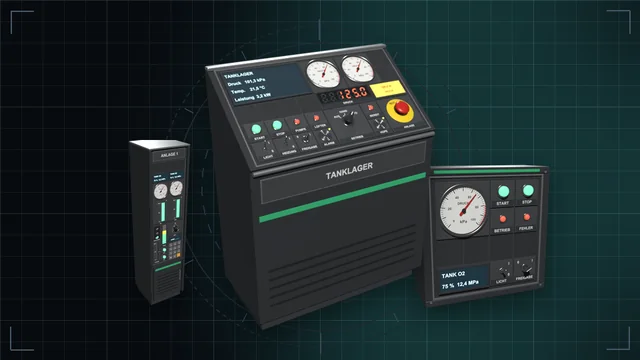
Desks, wall panels and cabinets with a module field – fitted with buttons, switches, dials, displays, gauges, traffic lights and more, every module an IC10 device of its own.
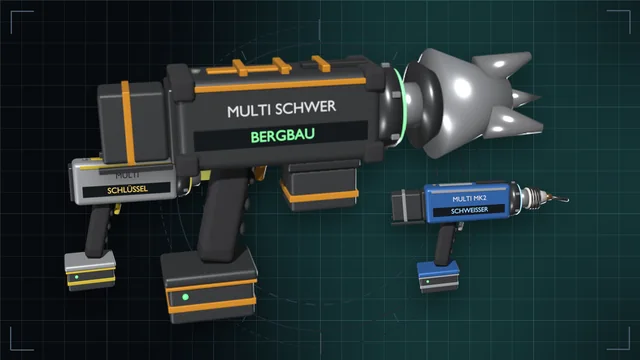
One grip, nine game tools – from wrench to mining drill, in three tiers with batteries and a lamp attachment.